 Bid Check
Your winning bid isn't what you pay. See your real auction total first.
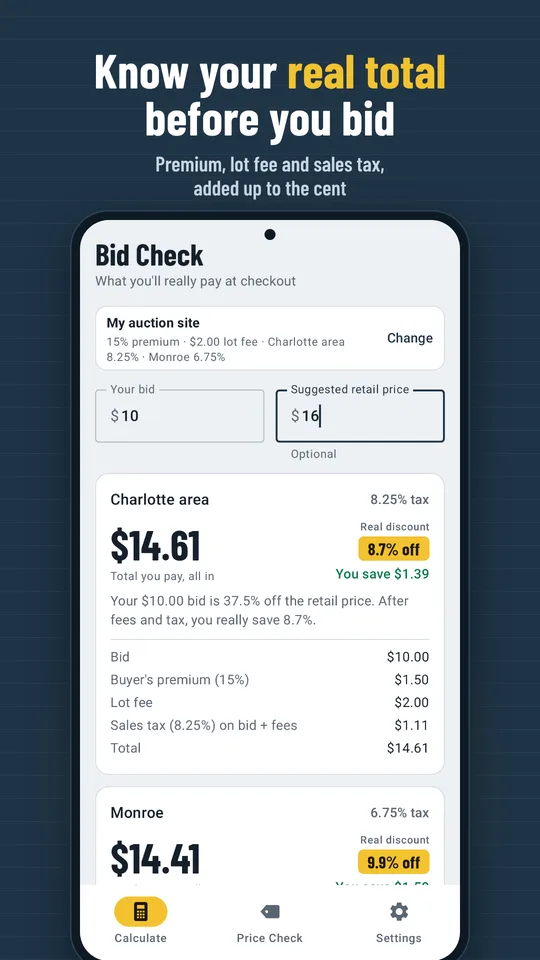
Bid Check is an auction fee calculator for Android. It adds the buyer's premium, lot fee, and sales tax to any bid, to the cent, so the number you see matches your invoice.

$2.99 once. No ads. No subscription.Android now. iPhone version in the works.
Pickup invoice 1 item
Example: 15% premium, $2 lot fee, 8.25% tax on bid and fees. You set your own.
Everything the invoice adds, before you bid
Set up your auction site and pickup spot once. After that, type a bid and the real total is right there.
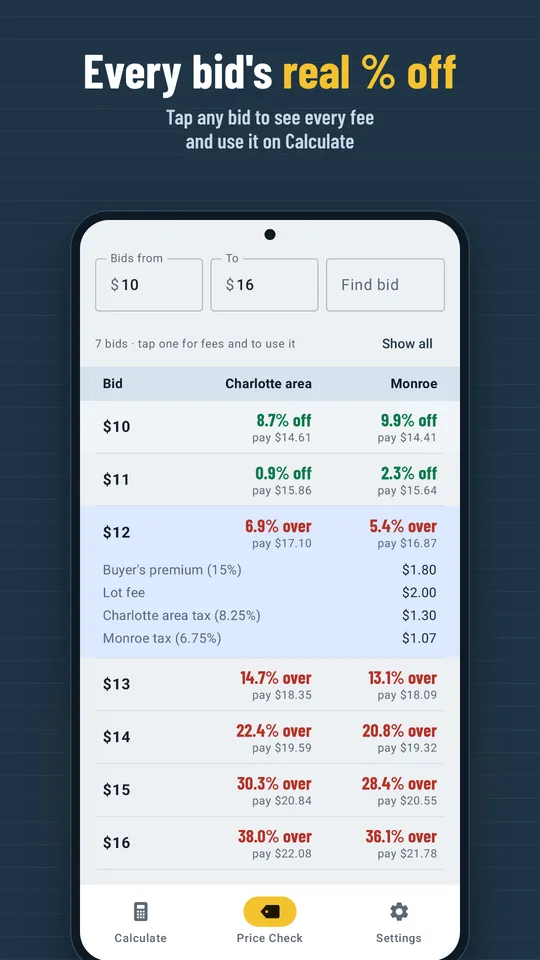
Calculate
Type a bid and see the total you'll pay. Add the retail price to see your real percent off and what you save.
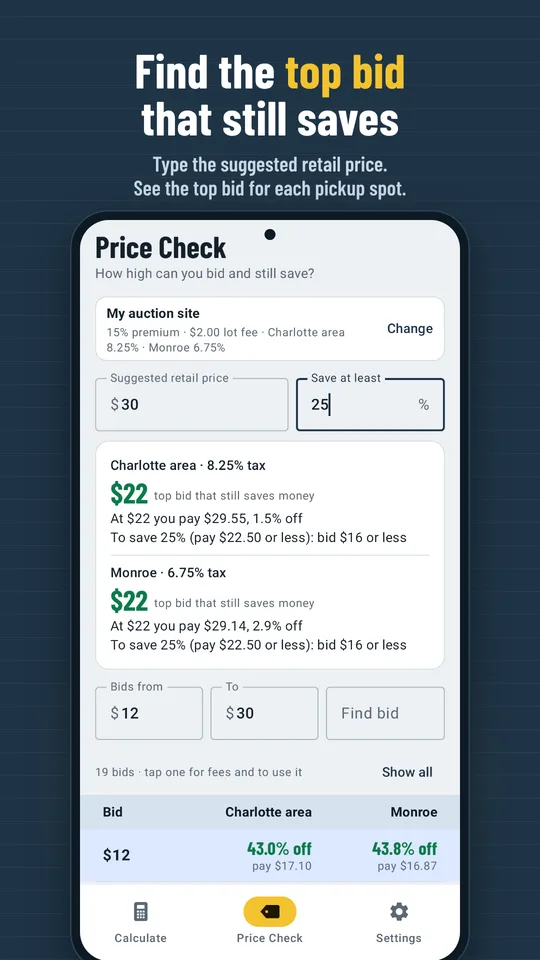
Price Check
Type the retail price and see the top bid that still saves money. Set the savings you want, like 25% off.
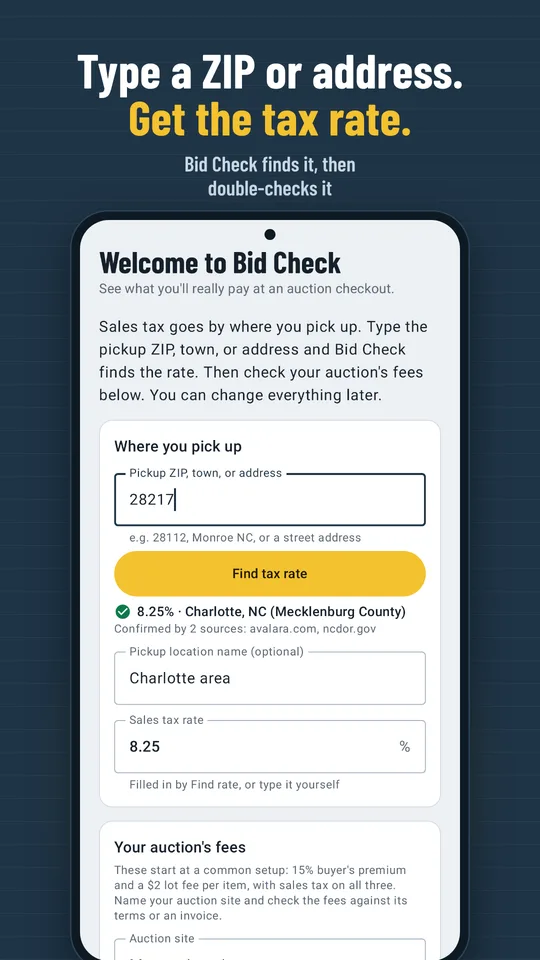
Sales tax by pickup spot
Type a ZIP code, town, or street address. Bid Check finds the tax rate and checks it against a second source.
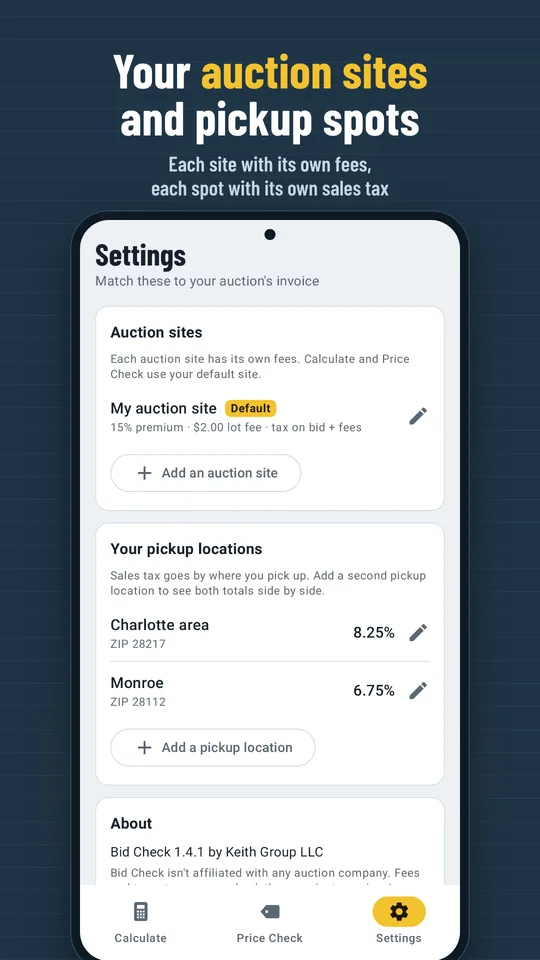
Your auction sites
Save each site with its own buyer's premium, lot fee, and tax rule, and pick a default.
Up to four pickup spots
Each one keeps its own sales tax, and totals show side by side so you can pick the cheaper pickup.
Works offline
Calculations need no signal, so it works in a warehouse line or a parking lot.
One price. No ads. No subscription.
Pay once and it's yours. No account to make, no tracking, and no ads now or later. Your purchase is what keeps Bid Check that way.
- Every feature included
- Free updates
- Made by Keith Group LLC
Questions
Does it work with my auction site?
It works with any online auction that adds a buyer's premium, a lot fee, or both. Type in your site's fees once and Bid Check remembers them.
Is sales tax charged on the fees too?
It depends on the auction and the state. Some tax the bid plus the premium and lot fee, and some tax less. Set it for each site and Bid Check follows it.
Is there an iPhone version?
It's in the works. Bid Check is on Android today.
Do I need an account?
No. There's no account, no ads, and no tracking.
Is Bid Check part of an auction company?
No. Bid Check isn't affiliated with any auction company. Fees and tax rates change, so check your total against your invoice.
How do I get help?
Email [email protected] with any question.